
Rubii AI Review: A Character Workshop With a Ruby Meter Running
- Hands-on test, paid plan
- Checked

Free plan available
from $7.99/mo
Rubii verdict: a creator's workshop with a meter in the corner
Rubii is a good workshop for people who like to build characters and a tiring place to simply sit and chat. It launched in 2025 and sits in the character hub category, with companion chat, roleplay, image generation and video generation under one roof. A reviewer at heavengirlfriend.com describes the same bundle as character discovery, roleplay scenes, generated images, short videos and voice tools.
That same site sums up the pricing as free entry with paid options, on a page dated 5 July 2026. I'd call that accurate and a little polite. The free entry is real, and the paid options are where the meter starts running.
My own stretch with Rubii lasted three weeks in June 2025. I left with 4 Ruby tokens and a new favorite catchphrase for client revision calls, which is about what I bring home from a good trade show. The catchphrase turned out to be worth more than the tokens, and I suspect that is how the app likes it.
Who should pay? Creators, fandom roleplayers and anyone who enjoys picking models the way an editor picks lenses will get their money's worth. People who want one steady companion on a flat fee should look elsewhere, because here every message comes with a small calculation.
Key takeaways:
- Rubii works best as a workshop: characters, images, voice and video sit in one app.
- Building a character from scratch takes minutes, and the creator tools go deep.
- Everything is paid in Rubies, so the real price depends on which model answers.
- Memory holds in short scenes and slips in long ones; the stronger memory tools cost extra.
- The terms ban sexual content, and paid plans are cancelled through the store where they were bought.
Rubii at a glance
- Price from
- $7.99/mo
- Free tier
- Free plan available
- NSFW content
- Not allowed
- Platforms
- Web, iOS, Android
- How it was tested
- Hands-on test, paid plan,
- On your card statement
- Not known yet - I have not paid for it
How I used Rubii: three weeks, one producer and a counter
My time with Rubii was three weeks of June 2025. It began with the sign-up bonus of free Rubies, moved to one month of the Plus plan, and ended with a few Rubies still in the wallet. The table under this section lists the plain facts; this is the story version.
Almost all of that time went into one character: a jaded film producer built from scratch, who answered every problem with the same line about post-production. He was the reason the app stayed open, and he was also the one who showed where it runs out of breath. The rest was a stress test of the image generator and a lot of glancing at a counter.
It ended the quiet way. Nothing broke and nobody offended me; the app did what it promised and charged for it one reply at a time. What stayed behind was a handful of unspent tokens and a line that now gets used on real clients.
A note on what is current. The present-tense facts in this review come from a check of the Rubii web version made on 23 September 2026, without an account. The pricing, the tutorials and the terms come from the public pages.
So there are two timelines, and they stay apart on purpose. The past tense is my June 2025 story, with its prices and quirks. The present tense is what the public pages say today, which matters more if you are about to type in a card number.
Where the two disagree, both versions appear with their dates. That happens more often with Rubii than with most apps I'd review, because a fair amount has changed in a year and a bit, from voice in the chat window to what the content rules allow.
| What | Details |
|---|---|
| Period | Jun 2025 |
| How long | 3 weeks |
| Plans I paid for | Sign-up bonus (50 free Rubies, day 1); Plus, one month ($7.99/mo) |
| How it ended | left after three weeks with 4 Rubies left |
| Facts re-checked | 23 September 2026 |
From the author's own notes; prices and features re-checked on 23 September 2026.
Signing up for Rubii and the first night
The first night on Rubii is easier to describe as a set of doors than as a single welcome screen. There is a website, an iPhone app, an Android download and an installable web app, and each one asks for a slightly different amount of trust.
Where Rubii lives today
Rubii is live at rubii.ai and runs as a web app, so a browser is enough to start. It can also be installed as a PWA, which puts an icon on a phone's home screen without a store in between. The landing page and Explore load fast, and I count that as a small courtesy.
My Rubii test log
Chris FurreyFounder and writer Hands-on test, paid plan own card, no press account
-
Got 50 Ruby tokens at sign-up and burned 30 on day one on 'a moose in a business suit'. The tie was actually knotted.
-
Built a jaded film producer from scratch in about ten minutes; he says 'we'll fix it in post' to everything.
-
Took Plus at $7.99 for a month, because I never buy the top tier before stress-testing the bottom one.
-
Around 50 messages into a long story, the producer forgot the final cut was delivered and asked when the premiere was.
-
Showed him an anonymized client revision list; he said 'This is fine. Export it' and drew a burning edit suite unasked.
-
Left after three weeks with 4 Ruby tokens and a new favorite catchphrase for client revision calls.
plan paid for: Plus (Rubii+) Total spent $7.99
The iOS app is on the App Store from the developer "YoMio Tech Limited". It was released on 27 May 2025 and updated on 31 August 2026, so somebody is still looking after it.
The store page shows 4.1 stars from 76 ratings, while the App Store lookup data show 4.04 from 75. That is the kind of small drift between two readouts of the same meter that I'd stop worrying about. Either way, it is a decent score for a young app.
Android is a different story: the app is a direct install from rubii.ai/download, and no Google Play link was found. The download page offers it through a QR code, under the line "Install the official app directly on your phone. Scan to download".
I'd think twice before sideloading anything onto a phone, even from an official site. It is not a red flag on its own, but it removes the store's review and the store's refund button, and I like having both between me and a new app. On Android, the installable web app is the calmer choice.
The interface comes in English, Spanish, Indonesian, Japanese, Korean, Portuguese, Russian, Thai, Vietnamese and Traditional Chinese. That list tells you where the audience is, and it is not a list built for one country. For an English speaker it simply means the menus are complete and nothing feels machine-translated in a hurry.
How sign-up works now
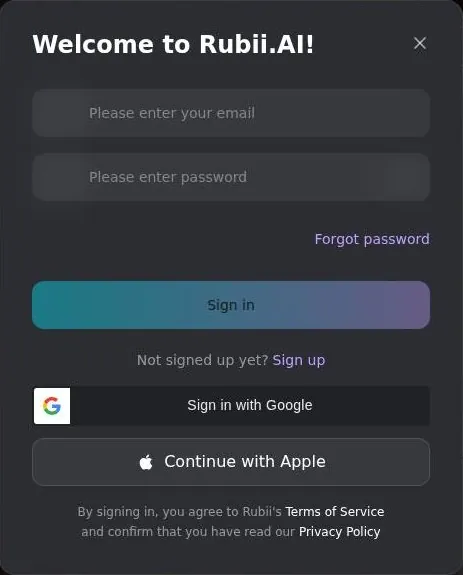
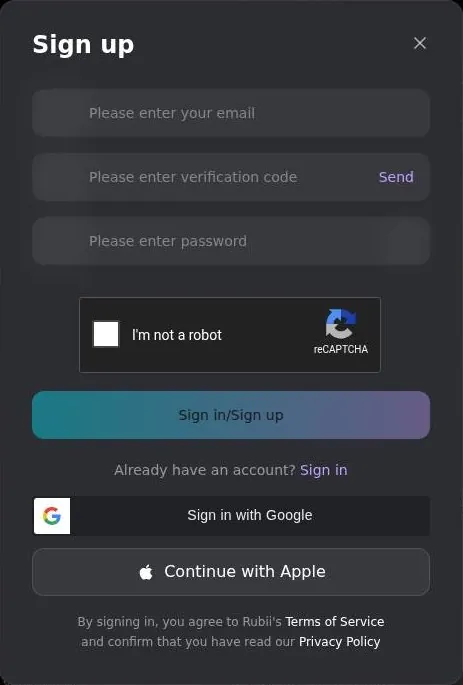
Guests can browse Explore and the character pages, and they can open a chat without an account. The sign-up modal opens from Login and then "Sign up", on https://rubii.ai/explore.
The login modal offers email and password, "Sign in with Google" and "Continue with Apple". The email route asks for an email address, a verification code sent by email through a "Send" button, and a password. It also carries a Google reCAPTCHA v2 checkbox, the familiar "I'm not a robot".
My advice for the first night is short. Use Google or Apple if you have either, because the email path has more steps and a checkbox that can stall. Then spend the first half hour browsing, since browsing costs nothing and tells you whether the feed is your kind of place.
What I like about this setup is that nothing demands a card before a look around. What I don't like is the Android route, which asks for more trust than a first date should. For a desktop user the start is painless; for an Android user, it takes a decision.
Browsing the characters
Explore is a feed of "Moment" cards rather than a plain list of characters. That is the key to the whole library: Rubii splits Characters and Moments, so one character can have many scenario starts. Think of a character as an actor and a Moment as a scene they are booked for.
The idea is better than it sounds. A good character with a dull opening is wasted, and Moments let creators write several openings for the same face. The catch is that the feed shows scenes first and people second, which makes it harder to browse for a personality.
The tag filters run from Hot, All Gender, OC, male and AnyPOV to RPG, MLM, Female, sexy, MalePOV, Fantasy, anime, WLW and Enemies to Lovers. It is a mixed bag of genres, audiences and moods. It reads like a tag cloud that grew rather than one somebody planned.
The feed leans heavily towards long RPG and sandbox scenarios. One example is "BLEACH - RPG: SOUL AND STEEL", with 7.2k chats. Others include "Konosuba: Chaotic Quest RPG" and the superhero sandbox "Powers That Be".
So the library suits people who want a campaign more than a conversation. If you want a quiet one-on-one companion, expect to scroll past a lot of dungeon maps and power systems. If you want a fandom sandbox, it is a very good place to start.
What is hard to find is the plain, everyday character: someone to talk to about your day rather than someone to fight a boss with. The feed does not put that kind of character first. My tip is to lean on the tag filters early instead of scrolling the default feed and hoping.

Building a character on Rubii
The part of Rubii I enjoyed most was the builder. I built a character from scratch: a jaded film producer who says "we'll fix it in post" to everything. Setting his personality traits and backstory took about ten minutes, which is less time than a client takes to reply to a first cut.
He was a joke at my own expense, and I knew it while typing him in. Anyone who edits for a living has met that producer, and I wanted to hear him from the other side of the table for once.
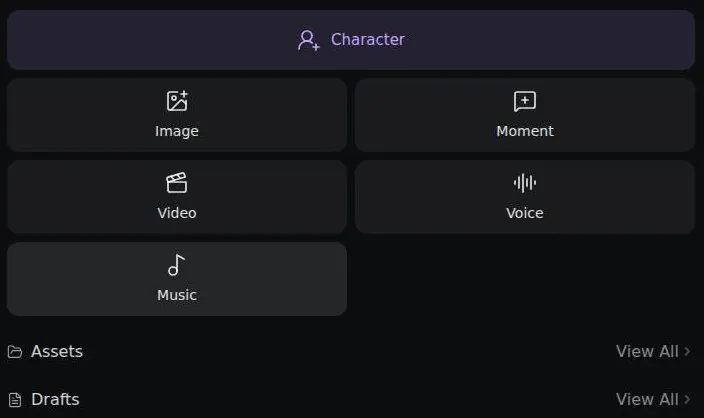
Today the Create Center has tabs for Character, Image, Moment, Video, Voice, Music, Assets and Drafts. That is a full production suite in a sidebar. It also explains why the library leans towards scenes: the tools are built for people who direct.
The homepage pitches the same idea, inviting users to "create your own AI girlfriend, boyfriend, or original character". I'd skip the girlfriend framing and start with the original character. The tools reward a clear concept more than a wish list.
Rubii also runs a heavy creator economy, with verified creators. Creators earn 12% of the Rubies other users spend on the public moments of their public characters, and the reward has "no upper limit". Put simply, creators get a 12% revenue share of the Rubies spent on their creations.
I'd treat that share as a tip jar, not a salary. It is a nice nudge for people who already make characters for fun, and a fair way to pay the people who fill the feed. Nobody should build a business plan on it, the same way nobody should plan a career around ad revenue from a hobby channel.
What talking to Rubii characters felt like
My producer, and the range behind him
There's real range in roles on Rubii, from friend and mentor to romantic partner. I kept it professional, since my producer was "emotionally unavailable, like all producers". It was the most honest line of character writing I produced all June, and I wrote it about a man who does not exist.
That choice shaped every chat. A producer who will never flirt is a good test of whether a bot can hold a job-shaped personality. That was the test I set him, and it kept the conversations on ground I know better than most people would like.
The best moment was a small one: I uploaded a screenshot of a real client revision list, anonymized, and asked the producer for his opinion. He replied "This is fine. Export it," and then generated an image of a burning edit suite without being asked.
I laughed harder than the joke deserved, because it was the most accurate review that revision list ever got. It was also a useful surprise: the chat read an image, stayed in character and reached for the image tools on its own. I have worked with human producers who managed less.
How a chat opens today
A Moment chat opened as a guest shows a rich HTML "Brief" card, a styled flip-card intro. The chat also shows a fake "X Trending" feed widget, and it opens with a long opening narration. Chat 2.0 shows rich HTML and CSS cards inside the chat itself.
It is closer to a title sequence than a hello. I like the craft, and I'd still warn anyone who wants a quick chat that the first screen is a lot of reading. A first message typed as a guest triggers the login modal, so no bot reply could be checked on 23 September 2026.
The model menu
A multi-model router offers Rubii auto-route plus the Gemini, GPT and DeepSeek series, each with a per-reply Ruby price. The picker has a Free tab. It also shows live congestion tags: "Smooth", "Moderate" and "Congested".
This is the part power users will love and everyone else will find tiring. Choosing a model per reply is like choosing a codec per clip: useful when you know why, noise when you don't. The congestion tags are a nice touch of honesty, a traffic report for the chat.
My guess is that a router like this can make a character's voice drift when the model behind it changes. That is a guess, labelled as one. The friction section has the part of the story that made me think of it.
The tools around each reply
According to the chat tutorial, a sparkle button gives 3 free suggested replies: bold, cautious and playful. Regenerate keeps earlier versions, with a pager such as 1/3, so a new take never overwrites the one you liked. Replies can be continued, edited and rewound or unsent.
The chat menu shows New Chat, History, Chat Settings, Archive, Export, Share and Persona. Personas can be set per Moment, plus one global persona. That means you can play a different version of yourself in each scene without rewriting your profile every time.
That is an editor's toolkit: takes, versions, trims and undo. I'd use the rewind more than the suggestions, because the suggestions write your lines for you, and the point of roleplay is writing your own. The export option is the one I'd value most, since it lets a good story leave with you.
Memory and consistency
The memory was okay in short bursts. Around 50 messages into a long story, my producer forgot the final cut had already been delivered and asked when the premiere was.
For an editor, that is the classic continuity error: a scene that jumps back before a cut everyone already approved. I logged it in my head like a continuity note: "character reverts to pre-delivery state after extended session, reproducible".
| Feature | Free | Paid |
|---|---|---|
| Rubies | daily check-in, tasks, invites, creator rewards | 800 / 3,000 / 6,600 at once each month |
| Chat models | models on the Free tab | daily free quotas on the Rubii Plus, Pro and Ultra models |
| Daily free images | not published | 5 / 15 / 50 |
| Archive limit | not published | 200 / 2,000 / no limit |
| Memory | not published | enhanced chat memory; edit the Memo (Plus); regenerate the Memo (Pro and Premium per the tutorial) |
| Watermark-free images | not published | yes |
| Video generation | no | yes |
| Free trial | no separate free trial | - |
Limits as listed on 23 September 2026.
The word "reproducible" was doing honest work there. It was not a random glitch but a limit, and a limit you can plan around is better than a bug you can't.
What Rubii offers for memory now
The Memo is Rubii's memory system, and it can be edited and regenerated. The Brief keeps a rolling summary of the chat, like the notes a script supervisor keeps on set. Memory is never shared between chats, so each story starts with a clean slate.
The tutorial says editing the Memo requires Rubii+. It also says regenerating the Memo requires Pro or Premium. The pricing page tells a slightly different story, and the pricing section sets the two side by side.
Memory Enhancement sets a token budget from the 24K base up to unlimited. It is billed per 1K tokens used, so a longer memory costs more Rubies as the story grows.
That is a clever product and an awkward deal. Memory is the thing that makes a long story feel like a story, and here it has a meter on it. I'd rather pay one flat fee for a good memory than watch it bill by the thousand tokens.
A reviewer at zegocloud.com says characters retain context across sessions. That fits the idea of the Memo and the Brief, and it does not fit the long story I ran in June 2025. Both can be true: the tools exist, and they still need a human to keep them honest.
My advice is to edit the Memo by hand at the key beats of a story, the way you'd update a continuity sheet after each scene. It takes a minute and saves a premiere nobody asked for.
Rubii images, voice and video
The moose, and the voice
The moose came out great. The tie was actually knotted, and I was more impressed than I should have been by a knot. My Moose was not.
An editor looks at hands, collars and knots first, because that is where generated images tend to fall apart. This one held together, and I took the dog's indifference as a second opinion rather than a verdict.
| Plan | Monthly | Yearly | Notes |
|---|---|---|---|
| Free | $0 | - | free chat models, Rubies from daily check-in and tasks; no separate free trial |
| Rubii+ (Plus) | $7.99 (struck-through $10.99) | - | 800 Rubies a month; Plus model 200 a day; 5 images a day; archive limit 200 |
| Rubii+ Pro | $14.99 (struck-through $19.99) | - | 3,000 Rubies a month; Plus and Pro models 200 a day each; 15 images a day; archive limit 2,000 |
| Rubii+ Ultra (Premium) | $29.99 (struck-through $39.99) | - | 6,600 Rubies a month; Plus 800, Pro 400, Ultra 300 a day; 50 images a day; no archive limit |
Prices as published on or before 23 September 2026; sources in the text.
The voice feature was nicer than I expected. The producer sighed with real exasperation when I told him the client wanted the logo bigger again. That sigh had better timing than some ADR I've been paid to fix.
That voice-in-chat feature has since changed. The tutorial now says "Chat messages no longer have voice playback buttons", so voice playback in chat was removed. Voice creation still exists, with cloning and mixing and up to 4 voices per character.
So the thing that impressed me most in June 2025 is gone from the chat window today. I'd call that a real loss, because a well-timed sigh is worth a paragraph of narration.
What the creation tools do today
Image, video, voice and music creation are built in. The image generator has 9 models. They split into anime models that take Danbooru tags and natural-language models, including Nano Banana 2 and GPT Image 2.5.
The generator takes up to 5 reference images and makes images in SD, HD and Ultra HD. Each run makes 1, 2 or 4 images, and there is a "Make Same" button.
The video generator works with start and end frames, and the tool quotes a cost before generating. Video generation is a subscriber feature.
Start and end frames are how an editor would design a video tool, so I'd approve on principle. The price quote before generating matters more, because a video that costs an unknown amount is how gift cards get emptied.
A reviewer at toolcenter.ai says art and chat are stitched together, which suits users who want to both talk to and see a character. I agree, with one note. The stitching is where Rubii is strongest, and the chat on its own is less special than the pictures around it.
The Rubii free tier
You get 50 Ruby tokens at sign-up. I burned 30 of them on day one stress-testing the image generator with "a moose in a business suit", in honor of my dog Moose. It was not a careful use of a starting budget, and I'd do it again.
| What | Price then | When |
|---|---|---|
| Plus (paid, one month) | $7.99 | Jun 2025 |
| Pro (price seen) | $14.99 | Jun 2025 |
| Premium (price seen) | $29.99 | Jun 2025 |
From the author's own notes. Compare with today's prices above.
That is the free tier in one story. The starting Rubies go fast, and they go fastest on pictures, because pictures are the fun part. By the end of that first day, most of the welcome bonus had turned into a moose.
What free means today
The tutorial says "There is no separate free trial.". The Terms of Service instead describe a "Free Use" program. Free use rests on the free models plus Rubies from the daily check-in and tasks.
Some chat models are marked "Free" and cost no Rubies; they sit on a Free tab in the model picker. That is the real free tier: talk on the free models, and spend earned Rubies on anything else.
Image generation has a daily free quota, and the subscriber tiers list 5, 15 and 50 images a day. The pricing FAQ does not state a free daily image quota for non-members. So the image allowance for a free account is simply not published, which is a strange thing to leave out of a FAQ.
The homepage FAQ says public characters can be browsed without an upfront purchase. The free-tier limits themselves could not be checked without an account on 23 September 2026.
What free is good for
Free is good for browsing, for building a character and for a few conversations on the free models. It is also a fair way to learn the model menu before any of it costs money. I'd spend the first free Rubies on one or two images to judge the quality, not on livestock in formal wear.
Where free stops is the long story and the picture habit. Both run on Rubies, and the daily check-in only goes so far. If you find yourself checking the Ruby counter before every message, that is the free tier telling you its limit, politely.
Rubii plans and prices
What I paid in June 2025
Tiers were $7.99 Plus, $14.99 Pro and $29.99 Premium when I signed up. I took Plus for a month, because my rule with any software, editing suites included, is never buy the top tier until I've stress-tested the bottom one.
Rubii pricing
Prices verified .
Plus (Rubii+)
$7.99/mo
Billed every month
No discount
- 800 Rubies at once ("About 1,600 messages
- 400 images"); Rubii Plus model 200/day free; 5 free images/day; archive limit 200; enhanced memory; no watermark; video generation
Pro (Rubii+ Pro)
$14.99/mo
Billed every month
No discount
- 3,000 Rubies at once ("About 6,000 messages
- 1,500 images"); Plus model 200/day and Pro model 200/day free; 15 free images/day; archive limit 2,000; enhanced memory; video generation
Premium (Rubii+ Ultra)
$29.99/mo
Billed every month
No discount
- 6,600 Rubies at once ("About 13,000 messages
- 3,500 images"); Plus 800/day
- Pro 400/day
- Ultra 300/day free; 50 free images/day; unlimited archive; enhanced memory; video generation
Monthly plans include discounted ruby packages, while annual equivalents vary by tier and billing cycle.
It is the same logic as renting a lens before buying it. You learn more from a month of the cheap version than from a feature list of the expensive one.
The prices have not moved since. Today Plus still costs $7.99, Pro $14.99 and Premium $29.99 a month, so my June 2025 numbers are also the current ones.
The plans on 23 September 2026
The pricing page is rubii.ai/topup, and it shows prices in USD. The "Monthly" tab lists the subscriptions, each shown as discounted from a struck-through price. An "Annually" label exists in the page strings, but no annual price is shown.
Rubii+ ("Plus") costs $7.99 a month, shown against a struck-through $10.99. It gives 800 Rubies at once, described as "About 1,600 messages, 400 images".
Plus has a daily free quota of 200 on the Rubii Plus model, 0 on the Pro model and 0 on the Ultra model. It adds a daily free image-generation quota of 5 and an archive limit of 200.
Rubii+ Pro costs $14.99 a month, against a struck-through $19.99. It gives 3,000 Rubies at once, "About 6,000 messages, 1,500 images". Pro has the same perks as Plus.
Pro has daily free quotas of 200 on the Plus model, 200 on the Pro model and 0 on the Ultra model. It adds 15 free images a day and an archive limit of 2,000.
Rubii+ Ultra, labelled "Premium" and "Best Value", costs $29.99 a month against a struck-through $39.99. It gives 6,600 Rubies at once, "About 13,000 messages, 3,500 images".
Ultra has daily free quotas of 800 on the Plus model, 400 on the Pro model and 300 on the Ultra model. It adds 50 free images a day and no archive limit at all.
What the paid perks add
The paid perks include enhanced chat memory and editing the memo. They also include access to the Rubii+ model, images without a watermark, testing new features and video generation.
| Pack or unit | Price | What it buys |
|---|---|---|
| 800 Rubies | $6 | - |
| 1,600 Rubies | $10 (Save 17%) | - |
| 3,600 Rubies | $20 (Save 40%) | - |
| 6,000 Rubies | $30 (Save 40%) | - |
| 12,000 Rubies | $50 (Save 67%) | - |
| 1 image (Otome 1-3, Krea 2 Turbo, One Obsession v24, Anima Aesthetic 1.1) | 2 Rubies | one image |
| 1 image (Qwen Image 2.1) | 10 Rubies | one image |
| 1 image (Nano Banana 2 or GPT Image 2.5) | 15 Rubies | one image |
| 1 AI reply | varies by model; some models free | one reply |
| Memory Enhancement | billed per extra 1K tokens above the 24K base | a longer memory budget |
As listed on 23 September 2026.
The pricing page lists regenerating the memo among the Plus perks. The tutorial puts that feature on Pro and Premium, as the memory section explains. If regenerating the memo is the one thing you want, I'd ask support before buying Plus for it.
Stacking
Subscription tiers stack: the monthly Rubies of each tier add together. The pricing FAQ gives the example: "If you purchase both basic and premium memberships, you'll receive 800+3000=3800 rubies". With stacked tiers, the privileges of the highest tier apply.
The FAQ's labels are loose, but the numbers match Plus and Pro. I can't think of a good reason to stack, since the one-time Ruby packs exist for anyone who just wants more Rubies.
Is the step up worth it?
The web checkout was not tried on 23 September 2026, so the checkout flow itself is not covered here.
Here is the money math out loud. Pro costs less than twice as much as Plus and brings almost four times the Rubies. Ultra costs about twice as much as Pro and brings a bit more than twice the Rubies, plus the only free quota on the Ultra model.
My take: Plus is the right first month, and I'd stand by that from my own three weeks with it. Pro makes sense once the Pro model is where you live, because its daily free quota is what you feel day to day. Ultra is for people who already know they are heavy users, and the "Best Value" badge is doing a salesman's work.
The struck-through prices are a separate question, and the discounts section deals with them. The short version: read the lower number as the price.
What Rubies buy
The token system meant I was always aware of a Ruby counter in the corner, like a health bar I didn't want to see drop. That is the whole emotional experience of a metered chat app in one image. You stop asking whether a reply was good and start asking whether it was worth it.
Rubii scored 5.9 out of 10 in our tests and costs from $7.99/mo. We have no partner deal with it, so its link is a plain link. Visit the official Rubii website
Closest alternative we can recommend

Joi AI
from $13.99/mo, free tier available
Score 5.5/10
Rubii's currency is Rubies, and they pay for chats and for image or video generation. Each AI reply costs Rubies, and the price depends on the model. The model picker shows each model's price per reply.
Ruby packs
The "One Time" tab sells Ruby packs. 800 Rubies cost $6, and 1,600 Rubies cost $10, labelled "Save 17%".
3,600 Rubies cost $20 and 6,000 Rubies cost $30, both labelled "Save 40%". The largest pack is 12,000 Rubies for $50, labelled "Save 67%".
The math is kind to the big pack: it gives twice the Rubies of the $30 pack for $20 more. Compare that with Plus, which gives 800 Rubies for $7.99, while the same 800 Rubies cost $6 as a one-time pack. The subscription earns its extra through the daily free quotas and perks, not through the Rubies themselves.
Per-image prices
The image models on /create/image show a Ruby price per image. Otome 1, Otome 2, Otome 3, Krea 2 Turbo, One Obsession v24 and Anima Aesthetic 1.1 cost 2 Rubies per image.
Qwen Image 2.1 costs 10 Rubies per image. Nano Banana 2 costs 15 Rubies per image, and so does GPT Image 2.5.
That spread is the one to remember. The cheapest models cost 2 Rubies an image and the premium ones cost 15, so the model you pick matters more than how many pictures you make. For a first look, I'd start on the cheap anime models and only step up for a picture worth keeping.
Memory on the meter
Memory Enhancement is billed per extra 1K tokens above the 24K base. That makes a long story slowly more expensive the longer it runs.
I understand the logic and I dislike the feeling, the way I dislike parking meters that charge by the minute. My advice is to decide on a monthly Ruby budget before the story starts, the way a production decides its overtime rules before the shoot, not during it.
Discounts, bonuses and free Rubies
The official tutorial "Rubies and Rubii+" lists 4 ways to get free Rubies. New users get 50 Rubies: "As a new user, you get 50 rubies.". The Ruby balance of a new account could not be checked without an account on 23 September 2026.
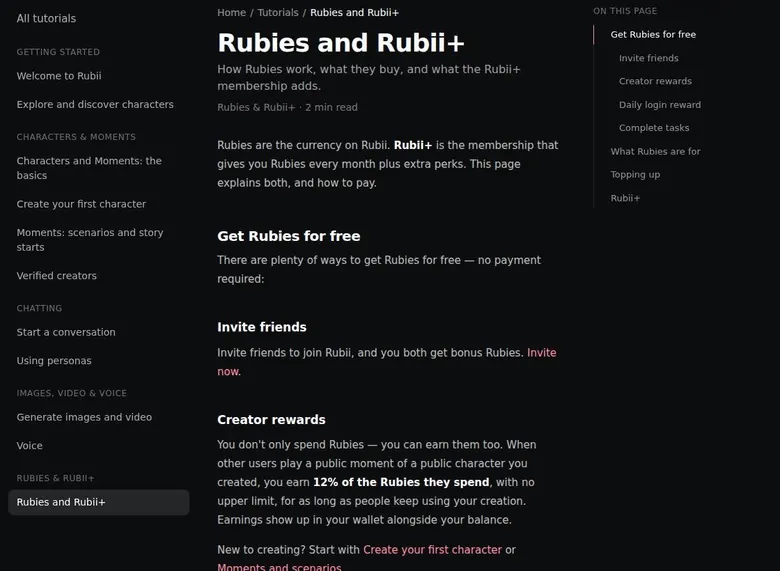
The daily login gives 30 Rubies, claimed by checking in on the "Tasks" tab of the wallet. Completing other tasks on that tab earns more free Rubies. Linking Discord or QQ gives 300 Rubies, according to the official pricing FAQ.
Inviting friends gives both people bonus Rubies, and the amount is not stated publicly. The pricing FAQ is more specific: registering with a referral code gives 200 Rubies. That is a bigger welcome than the standard 50, so a referral code from a friend is worth having before sign-up.
Promo codes
The public pricing page shows no promo-code field. A redemption-code field for Rubies does exist, most likely inside the account. No marketing emails arrived, because no account was created during the check.
The struck-through prices
The struck-through list prices appear all year, so they work as price anchoring rather than a real discount. I'd read $7.99 as the price of Plus and ignore the higher number beside it. A sale that never ends is just a price wearing a costume.
My ranking of the bonuses is simple. The daily check-in is the one that adds up, the referral bonus is the biggest single gift, and the account-linking bonus is worth it only if you already use Discord or QQ.
None of them turns Rubii into a free app. Together they keep a light user going for a while, and they make the first paid month a choice rather than a necessity.
Rubii content settings and age checks
What I saw in June 2025
The mature side of Rubii sat behind a toggle when I used it. Reaching it meant meeting an age requirement first, and the gating seemed straightforward. I never went there, but I noticed the toggle, which suited a character who only ever talked about deadlines.
Adults only (18+). This page reviews AI companion apps with NSFW features; no explicit images are shown.
What the rules say today
Rubii is officially SFW-leaning. Section 1.3 of the Terms of Service bans generating sexual content. The Content Rules block generating or publishing sexual material as well.
Section 1.3 also bans graphic violence and gore, hate, abuse material, fake media of real people and IP infringement. It is a specific list, and I read it as a sign that somebody wrote these rules for a real moderation team.
The Content Rules require all characters to be over 18. Characters are shown with their stated ages, for example "Age 19". None of the cards surfaced on 23 September 2026 appeared to break the age rule.
All content is auto-rated PG, PG13, R or X by AI plus human moderators. A "Show Sensitive Content" toggle exists; when it is off, R and X content is shown only from followed accounts.
So the toggle I noticed in 2025 now filters the feed rather than opening a different kind of chat. Tags such as "sexy" still exist in Explore, which says the ratings system is doing the sorting rather than a blanket ban on flirting.
The age numbers do not agree
The App Store age rating is 13+. The App Store lookup data rate the app 12+. The pricing page asks users to confirm they are at least 18, by self-declaration at sign-in.
Add the terms, which set their own minimum, and one app carries several different age numbers. That is a continuity error of its own, and it is the kind of thing an app with rules this detailed should tidy up.
A third-party summary at zegocloud.com calls the chat relatively uncensored, which contradicts the official terms. I'd trust the terms over a third-party summary and plan around them. My read: Rubii is a roleplay and fandom platform with a ratings system, and anyone expecting something looser will be disappointed by the rules.
Rubii terms in plain English
Who runs it and when the documents changed
The Terms of Service were updated on 16 September 2026. The Privacy Policy and the Refund Policy were updated in May 2026, and the Content Rules on 27 May 2026.
| Topic | What it means for you | What the terms say |
|---|---|---|
| Operator | YoMio Tech Limited and EIGENVECTOR LTD run the service together | "YoMio Tech Limited and EIGENVECTOR LTD" |
| Law and disputes | Singapore law; disputes go to SIAC arbitration in Singapore; no class actions | - |
| Minimum age | 16 in the terms (a guardian must consent under the age of majority); the pricing page says Adults only | "You must be at least 16 years old" |
| Auto-renewal | Plans renew until you cancel, and you must cancel before the renewal date | "You must cancel your subscription before it renews" |
| Cancelling | Only through the app store where you bought the plan; no web cancel path is published | - |
| Refunds | Case by case; email [email protected] within 14 days; bad output, accidental buys and change of mind are excluded | "Dissatisfaction with AI-generated outputs" |
| Your content | You keep your rights and own what you generate where the law allows, but Rubii gets a permanent, free licence to use and show it | "You retain all rights in Your Content" |
| Training on chats | The terms do not say either way | - |
| Data sharing | Shared with service providers, business partners, affiliates and other users, and used for marketing | - |
| Deleting your data | Use the Delete My Data link at rubii.ai/delete; ending an account otherwise means just stopping use | "If You wish to terminate Your Account, You may simply discontinue using the Service." |
| Banned content | Sexual content, gore, hate, abuse material, fake media of real people and IP theft are banned; no bots, rival research or second accounts | - |
| Liability | Capped at what you paid or USD 100 | - |
Terms and privacy policy as published on 23 September 2026.
The service is provided by "YoMio Tech Limited and EIGENVECTOR LTD". The footer reads "© 2026 EIGENVECTOR LTD". Two company names on one product is not unusual, but it is worth checking which one appears on the receipt.
Law, disputes and age
The terms are governed by the law of Singapore, and disputes go to SIAC arbitration in Singapore. The terms also include a class-action waiver. In plain English: if something goes wrong, you argue alone, in Singapore, in front of an arbitrator.
The Terms of Service set a minimum age of 16: "You must be at least 16 years old". Users under the age of majority may use Rubii only with a parent's or guardian's consent. That sits oddly next to the store ratings and the pricing page, and the content section lays out the other numbers.
Refunds
Refunds are decided case by case, and requests go by email to [email protected] within 14 days. The Refund Policy neither promises nor rules out refunds for any case in advance. In its own words: "We do not commit to refunds for any specific scenario in advance, but we also do not categorically refuse them".
Dissatisfaction with the AI's output is excluded from refunds. Accidental purchases and change of mind are excluded too. Purchases made through the App Store or Google Play are refunded through those platforms.
So the refund door is open a crack, not much more. A bad month with the chat will not count. A billing mistake, reported by email inside the window, is worth the message.
Your content and your data
Users keep all rights in their content, and they own the assets they generate, to the extent those assets are protectable. In return, users grant Rubii a perpetual, worldwide, non-exclusive, royalty-free licence to operate, provide, maintain, promote and improve the Services. The licence also lets Rubii make user content available to other users.
That is a normal licence for a sharing platform, and a wide one. "Perpetual" and "promote" are the two words I'd underline: what you publish can keep working for Rubii after you leave.
The terms do not say whether chats are used to train AI. They do name third-party models: Google Gemini, OpenAI GPT, DeepSeek and ByteDance Seedream. I'd assume a message may pass through more than one company's servers and write accordingly.
Rubii collects the email address plus usage and device data. The app can optionally collect location and access the camera and photo library. Data is shared with service providers, business partners, affiliates and other users, and it is also used for marketing.
House rules and liability
The acceptable-use rules ban automated tools, competitive research and multiple accounts. Liability is capped at the amount paid or USD 100. For someone on Plus, that cap is about a year of subscription fees, and nothing more.
My summary: the terms are tidy, the refund policy is honest about being vague, and the data section is broader than I like. Nothing here is a trap, but I'd keep client names, home addresses and anything private out of the chat.
What got in the way
The friction I felt most was tone. I occasionally saw inconsistent responses where the same prompt gave wildly different tones. My producer went from cynic to cheerleader between two takes of the same line, which is a continuity error no editor can cut around.
It did not happen often, and it never broke the app. It did break the character for a moment each time, and a producer who suddenly loves every note is less funny and less useful.
| Criterion | Rating | Why |
|---|---|---|
| Conversation quality | Good | Real role range and one great in-character joke, but tone can swing between replies to the same prompt. |
| Memory | Mixed | Fine in short scenes, lost the plot in a long story; Memo and bigger memory cost extra. |
| Free tier | Mixed | Free chat models and daily Rubies help, but the free image allowance is not published. |
| Value for money | Mixed | Stable plan prices, but per-reply pricing makes the real monthly cost hard to predict. |
| Images and voice | Good | Wide image, voice and video tools; voice playback in chat has been removed. |
| Privacy and terms | Weak | Perpetual licence, wide data sharing, marketing use and no statement on training. |
| Cancelling and billing | Mixed | Store-only cancelling, no web cancel path and refunds decided case by case. |
| Content settings | Mixed | Clear rules and content ratings, but the store, terms and pricing page give different ages. |
Ratings are the author's judgement from his own use and the 23 September 2026 check.
Sign-up and guest limits
The email sign-up has a reCAPTCHA v2 checkbox, and it is a hurdle. Clicking "Send" for the code with the checkbox unticked does nothing, and no email arrived. On 23 September 2026 the email sign-up stopped at the reCAPTCHA, so no account was created.
Guests can look but not talk. Sending a message as a guest opens the login modal, so a guest cannot send any message. I'd prefer a few free lines before the wall, the way a shop lets you try on a jacket before asking for your name.
Mixed signals
The App Store rates the app 13+, while the Terms of Service say 16+. Android is a direct install, with no Play Store link. Neither is a disaster, but both ask the user to do homework the app should have done.
The pricing page shows struck-through "discounts" that look permanent. The cost per reply varies by model, so spending is hard to predict. Put those two together and the price of a month depends on habits you do not know yet.
Even the name wanders. Rubii is also known as Rubii AI, Rubii.ai and "Rubii: AI Characters Community". That matters when you search a store or a bank statement for it, so try all of them before deciding a charge is a mystery.
Who Rubii suits, and who should skip it
Rubii suits long-form RPG and fandom roleplay fans. It suits power users who want model choice and controllable memory. It also suits creators who want to publish characters and earn from their use.
Who Rubii is for
Best for
- Fans of long RPG campaigns and fandom sandboxes who like one character with many starting scenes.
- Power users who want to pick the model for each reply and manage memory by hand.
- Creators who want to publish characters, write Moments for them and earn a share of the Rubies spent.
- People who want chat, images, voice and video creation built around the same character.
Not for
- Anyone looking for sexual chat, which the Terms of Service ban.
- People who want one flat monthly price with unlimited chat; every reply is metered in Rubies.
- Anyone who wants to try the chat before creating an account.
- Android users who only install apps from a store; the Android app is a direct download.
If you are one of those three, I'd call Rubii one of the better-equipped places to play. The tools go deep, and the feed is full of people who play the same way.
Rubii is not for users who want sexual chat, which the Terms of Service ban. It is not for people who want a simple flat-rate unlimited plan, because everything is metered in Rubies. It is not for anyone who wants to try the chat without an account.
It is also not for users without a Google or Apple account who get stuck at the reCAPTCHA. That group is small, but it is real, and it deserves a warning before giving up at a checkbox.
My own fit was somewhere in the middle. A single work-themed character, a few pictures and a lot of watching a counter is not what Rubii is built for, which is probably why the story ended with tokens to spare.
Cancelling Rubii
This section covers how renewal and cancelling work today, which is what matters before you pay. It is also where Rubii is least friendly to anyone who buys on the web.
Subscriptions renew automatically until cancelled. Renewal fees are billed to the payment method provided through the marketplace, "automatically until canceled". A subscription must be cancelled before it renews.
The Terms of Service say subscriptions are bought and cancelled through the app marketplaces. A paid subscription can be changed or cancelled only through the app marketplace where it was bought. No web cancel path is published.
Rubii pros and cons
What worked
- A quick, deep character builder: a from-scratch character with traits and a backstory took me about ten minutes.
- Model choice for every reply, with a Free tab and live congestion tags in the picker.
- Strong image tools with several models, reference images and a Ruby price shown per image.
- Regenerate keeps earlier versions, and replies can be continued, edited, rewound or exported.
- Plan prices have held steady since June 2025, and the video tool quotes a cost before generating.
What did not
- Everything runs on Rubies, so the cost of a month depends on which models answer.
- Memory slipped in a long story, and the bigger memory budget is billed per token.
- Voice playback in chat has been removed; voice now lives only in the creation tools.
- Paid plans can be cancelled only through the store where they were bought; no web cancel path is published.
- The terms grant Rubii a perpetual licence to user content and share data widely, including for marketing.
That leaves a question the terms do not answer: what about a plan paid on the website? The pricing page sells plans in dollars, yet the only published cancel route runs through the stores. I'd want that answered in writing before paying on the web.
Leaving for good
Data deletion runs through a "Delete My Data" link at rubii.ai/delete. To end an account, the terms say: "If You wish to terminate Your Account, You may simply discontinue using the Service.". On deactivation, all conversation content and records tied to the account are permanently erased.
"Simply discontinue" is not a cancel, and I'd never treat it as one. Stopping use ends the chats, not the billing, so cancel the plan first and delete the data second.
Before paying, I'd do three things. Note the renewal date, check which store holds the plan, and export any story worth keeping before deleting anything.
The export matters more than it looks. Deactivation erases the conversations for good, and a story you spent weeks on deserves the same care as raw footage: copy it off the card before you format it.
One more habit I'd recommend is a calendar reminder a few days before renewal. Store subscriptions are easy to cancel and easy to forget, and the terms are clear that a plan left running keeps billing. A reminder costs nothing and a forgotten month costs a month.
If a charge ever looks wrong, the refund window is short, so act quickly rather than waiting for the next statement. The terms section covers who decides and what counts.
My tips for Rubii
Start on the web. Rubii runs in a browser, and that is the easiest way to look around before any install. The iOS app is at https://apps.apple.com/in/app/rubii-ai-characters-community/id6743956024, and the Android direct download lives at https://rubii.ai/download.
Read the tutorials before spending anything. They live on GitBook at https://rubii.gitbook.io/rubii-tutorials-for-ai-chat, and they explain the Memo, the Rubies and the model picker better than the app does. There is also a blog at rubii.ai/blog.
Learn on the cheap models. Use the free and low-priced chat models until a story is worth more, and use the cheapest image models for drafts. Save the expensive models for the one picture you want to keep.
Keep a continuity sheet. For long stories, update the Memo at each major beat, the way an editor updates notes after each scene. It is the cheapest insurance against a character forgetting the ending.
Test the bottom tier first. One month on the lowest paid plan tells you how fast you spend Rubies. Move up only when the daily free quotas are the thing you keep running out of.
Anonymize anything from work. A screenshot of a real document can make for a great scene, but strip names and details before it goes anywhere near a chat.
The community channels are Discord at https://discord.gg/rubiiai, X at https://x.com/RubiiAI, Instagram at https://www.instagram.com/rubii_app/ and TikTok at https://www.tiktok.com/@rubii_ai. The Discord is where I'd take a question first, since linking it also counts towards one of the Ruby bonuses.
Three contact addresses are published: [email protected], [email protected] and [email protected]. The names tell you where each kind of question goes, and a billing question sent to the billing address is more likely to reach the right desk.
How Rubii scores
Conversation quality rates good. The producer held a personality well enough to land a real joke, and the tools around each reply are strong, but tone swings and long openings make it uneven.
Rubii verdict
Overall score
5.9/10
MixedA deep character workshop with good images and model choice - every reply is metered in Rubies and memory costs extra.
Hands-on test, paid plan
- Real range of roles and one great in-character joke, but the same prompt sometimes swung from cynic to cheerleader.
- Fine in short bursts; around 50 messages in, my producer forgot the final cut. Bigger memory is billed per 1K tokens.
- A from-scratch character took about ten minutes, and the Create Center covers characters, Moments, images and voice.
- The moose image was great and the voice sighed on cue in 2025; voice playback in chat has since been removed.
- Plus at $7.99 was a fair first month, but every reply costs Rubies and the struck-through prices never go away.
- A perpetual licence to user content, data shared with partners and used for marketing, and no word on training.
- Tone swung between replies and a long story lost track; email sign-up has a reCAPTCHA and Android is a direct install.
Bars run from 0 to 10. The total is the weighted mean of the criteria above. Weights are the same for every app. How the apps are checked
Memory is mixed. Short scenes held, long stories slipped, and the fixes cost extra Rubies on top of a plan.
The free tier is mixed as well. Free models and daily Rubies keep a light user going, while the image allowance for free accounts is not published.
Value for money is mixed. Prices have stayed put since June 2025, but every reply carries a price, so the monthly bill depends on habits.
Images and voice rate good. The pictures impressed me and the creation suite is wide, while the loss of voice playback in chat costs it a step.
Privacy and terms rate weak because of the perpetual licence, the broad data sharing and the silence on training. Cancelling and billing is mixed, with store-only cancelling and case-by-case refunds. Content settings are mixed: clear rules and ratings, but age numbers that do not agree.
How Rubii compares
Next to the other apps in the table below, Rubii is the one that feels most like a production studio. Candy AI, OurDream AI and Nomi AI have their own reviews on this site; here the question is only where Rubii wins and where it loses.
Where it wins: breadth of tools and control. I'd rank Rubii near the top for choosing a model per reply, building voice, image and video around a character, and paying creators a share of what their characters earn. If you like to direct rather than just talk, that matters.
| App | When I used it | For how long | Cheapest paid plan (record) | Free tier (record) |
|---|---|---|---|---|
| Candy AI | Oct–Nov 2024 | 5 weeks | €3.99/mo (12-Month Plan) | yes |
| OurDream AI | Dec 2025–Jan 2026 | 6 weeks | $9.99/mo (Standard Annual) | yes |
| Nomi AI | Jan–Sep 2026 | 9 months | $5.00/mo (Launch Plan Yearly) | yes |
Periods from the author's own notes; plans and free tiers from the site's app records.
Where it loses: simplicity and predictability. A flat monthly plan is easier to live with than a Ruby counter, and an app built around one companion feels calmer than a feed of RPG campaigns. Memory on a meter is also a harder sell than memory included in the price.
My rule of thumb: pick Rubii if the fun for you is building and directing, and pick one of the others if the fun is the relationship itself. The table is a better guide to their prices than my memory of a moose in a suit.
More on this site: the best AI girlfriend apps, free AI chat apps, the best AI companion apps, AI roleplay chat apps, all AI companion app reviews.
Rubii alternatives
Three apps we would try next, and why.

Candy AI
free tier, from €3.99/mo
Score 7.7/10

OurDream AI
free tier, from $9.99/mo
Score 6.6/10

Nomi AI
free tier, from $8.33/mo
Score 7.8/10
My last word on Rubii
Rubii gave me one good character, one excellent moose and one line that now gets said out loud on client calls. For three weeks of June, that is a fair return, and more than some subscriptions have given me in a year.
It is a well-made workshop with a meter in the corner. The builder, the pictures and the reply tools are the best parts; the memory, the tone swings and the constant price awareness are the parts I'd warn a friend about.
A return visit would be about building, not chatting. I'd make a character, write a few Moments for him and see whether anyone else wanted to play in his scenes.
What I kept was a handful of tokens and a producer's favorite line. "This is fine. Export it" has since been said about more cuts than I should admit.
Rubii FAQ
Is Rubii free?
Rubii can be used without paying, but it is metered rather than free in the usual sense. New users get 50 Rubies, the daily login gives 30, and some chat models on the Free tab cost no Rubies at all. Free use rests on those free models plus Rubies from the daily check-in and tasks.
The tutorial says there is no separate free trial. Image generation has a daily free quota on the paid tiers, while the pricing FAQ does not state one for non-members. So the free image allowance is simply not published.
I got 50 Ruby tokens at sign-up and burned 30 of them on day one making a moose in a business suit. That tells you what free is good for: a look around, a few pictures and some chats on the free models. For long stories and regular images, the free Rubies run out quickly, and a paid plan or a Ruby pack becomes the real price of the app.
How much does Rubii cost?
As of 23 September 2026, Rubii+ Plus costs $7.99 a month, Pro costs $14.99 and Ultra, labelled Premium, costs $29.99. Each is shown against a struck-through price that appears all year, so I'd read the lower number as the real price.
Plus gives 800 Rubies at once, Pro gives 3,000 and Ultra gives 6,600, along with daily free quotas on the Rubii models. Ruby packs are sold separately, from 800 Rubies for $6 up to 12,000 Rubies for $50.
I paid for Plus for a month in June 2025, when the tiers had the same prices: $7.99, $14.99 and $29.99. My rule is to stress-test the bottom tier before buying the top one, and I'd give the same advice today. One month of Plus is enough to learn how fast you spend Rubies, and that number decides everything else.
Is Rubii safe and private?
Rubii collects the email address plus usage and device data, and the app can optionally collect location and access the camera and photo library. Data is shared with service providers, business partners, affiliates and other users, and it is used for marketing.
The terms do not say whether chats are used to train AI, and they name third-party models: Google Gemini, OpenAI GPT, DeepSeek and ByteDance Seedream. Users keep the rights in their content but give Rubii a perpetual, worldwide, royalty-free licence, which also lets Rubii show that content to other users.
I'd call Rubii fine to use and not a place for secrets. When I showed my producer character a client revision list, I anonymized it first, and that is the habit I'd recommend to anyone. Keep real names, addresses and work documents out of the chat, and use the Delete My Data link at rubii.ai/delete if you leave.
How do I cancel a Rubii subscription?
Subscriptions renew automatically until cancelled, and they must be cancelled before the renewal date. A paid subscription can be changed or cancelled only through the app marketplace where it was bought. No web cancel path is published.
In practice that means the App Store or Google Play subscription screen for a plan bought on a phone. Renewal fees are billed to the payment method given through that marketplace. Refund requests go by email to [email protected] within 14 days, and they are decided case by case.
To end the account itself, the terms say to simply stop using the service, and on deactivation all conversation content tied to the account is permanently erased. I'd cancel the plan first, export anything worth keeping, and only then use the Delete My Data link at rubii.ai/delete. Stopping use on its own does not stop a renewal, and it is the renewal that costs money.
Does Rubii remember past conversations?
Rubii's memory system is the Memo, which can be edited and regenerated, and the Brief keeps a rolling summary of each chat. Memory is never shared between chats. Memory Enhancement raises the token budget from the 24K base up to unlimited, billed per 1K tokens used.
The tutorial says editing the Memo needs Rubii+ and regenerating it needs Pro or Premium, while the pricing page lists regenerating among the Plus perks. Check the tier before paying for that one feature.
In June 2025 the memory was okay in short bursts. Around 50 messages into a long story, my producer forgot the final cut had already been delivered and asked when the premiere was. My advice is to treat the Memo like a continuity sheet and update it by hand at each big turn of the story, because the app will not always do it for you.
What are Rubii's content rules?
Rubii is officially SFW-leaning, and Section 1.3 of the Terms of Service bans generating sexual content. The Content Rules block generating or publishing that kind of material as well.
All content is auto-rated PG, PG13, R or X by AI plus human moderators. A Show Sensitive Content toggle controls the feed: when it is off, R and X content is shown only from followed accounts. The Content Rules also require all characters to be over 18.
In June 2025 the mature side sat behind a toggle and an age requirement, and I never went there. Today the terms are stricter than that memory. A third-party summary calls the chat relatively uncensored, but I'd go by the official terms, which say otherwise.
If content rules decide your choice of app, read Section 1.3 before paying, not after.
Can I use Rubii without an account?
Guests can browse Explore and character pages and open a chat. Sending a message as a guest opens the login modal, so a guest cannot send any message. The homepage FAQ says public characters can be browsed without an upfront purchase.
Sign-up offers email and password, Sign in with Google and Continue with Apple. The email route asks for a verification code and has a reCAPTCHA checkbox, which is a hurdle. I'd use Google or Apple if you have either.
On a phone, the iOS app is on the App Store, while Android is a direct install from rubii.ai/download with no Play Store link. Rubii can also be installed as a PWA, which is the option I'd pick on Android. Browsing first costs nothing, and it tells you quickly whether the RPG-heavy feed suits you.
Does Rubii have voice chat?
Voice creation exists in the Create Center, with cloning and mixing and up to 4 voices per character. The tutorial now says chat messages no longer have voice playback buttons, so voice playback in chat was removed.
That is a real change from June 2025. Back then the voice feature was nicer than I expected, and my producer sighed with real exasperation when I told him the client wanted the logo bigger again. It was the most human moment the app produced for me.
Today voice sits on the creation side with images, video and music, which are all built in. Video generation is a subscriber feature, and the video tool quotes a cost before generating. If voice in the chat window is what you want, check the tutorial before paying, because the feature I liked most is the one that went away.
How does Rubii compare with other AI companion apps?
Rubii is closer to a creative studio than to a single-companion app. It combines character discovery, roleplay, images, short videos and voice tools, and it offers a model router with Gemini, GPT and DeepSeek options. Creators earn a 12% share of the Rubies spent on their creations.
The trade-off is the meter. Each reply costs Rubies, the price depends on the model, and spending is hard to predict. Apps with flat monthly plans are easier to budget; Rubii is easier to tinker with.
I built a jaded film producer from scratch in about ten minutes, and the builder was the part I liked most. If you enjoy building characters and directing scenes, Rubii is one of the better places for it. If you want one steady companion and a predictable bill, look at the comparison table in this review first.